

Focus & speed
Selective attention and visual search
Why look-alike marks can slow a search, a few ways to scan carefully, and what Feature Field measures.
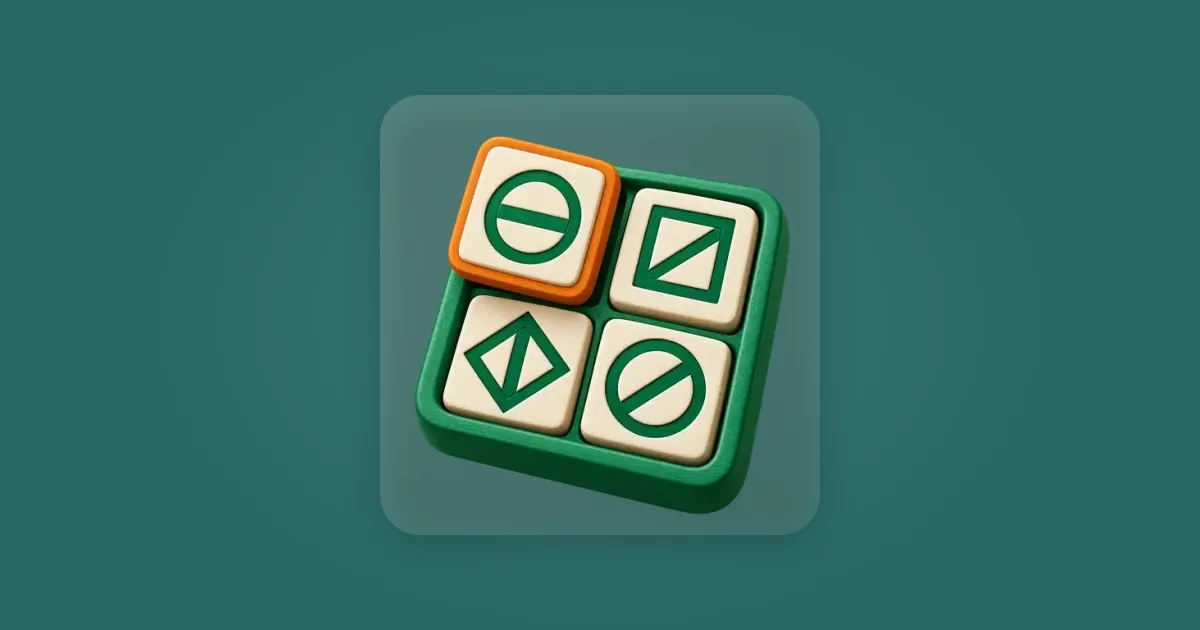
Imagine looking for a square with a diagonal line through it. The page has circles, diamonds and other squares. Some marks have a diagonal line at a different angle. Others have the right line inside the wrong shape. Your job is to find the one mark with both parts right.
That is a visual search. The mark you want is the target. The other marks are distractors. Selective attention is the act of giving the target's features priority while you look past marks that do not fit. Researchers study this with displays that change the target, the distractors or the number of items (Treisman and Gelade, 1980; Fifić and colleagues, 2008).
You can try a simple version at home. Draw four rows of small circles and squares. Put a horizontal or sloping line inside each one. Make only one a square with a sloping line. Ask someone to find it, then make another page with more look-alikes. You may notice that the second search feels different, even though the instruction has not changed.
One clue or two?
A bright red dot among grey dots may stand out quickly. A red square among red circles and blue squares asks a different question. The viewer must find a place where the colour and shape belong to the same item. Seeing a red mark somewhere and a square somewhere else is not enough.
Anne Treisman and Garry Gelade's experiments and theory drew attention to this difference between searching for one distinctive feature and searching for a combination of features. Their work used controlled visual displays. It does not mean that every real-world search follows one fixed rule or that everyone scans each object in exactly the same order (Treisman and Gelade, 1980).
The same idea explains a common wrong answer. You spot the right outline and choose too soon. A second look shows that the line is turned the wrong way. Or the line is right, but the outline is a diamond. When the target has two defining features, check both on one mark before you decide.
Why more look-alikes can take longer
Adding marks gives your eyes more places to check. How much that slows you depends on the search. If the target differs sharply from everything else, extra items may have little effect. If several marks share one of the target's features, a larger display often takes more work.
In one experiment, Mario Fifić, James Townsend and Ami Eidels changed how similar the target was to other items. They also changed the complexity of the marks. Response times rose as the marks became more complex, and responses were slower when the target was more like the other items. This was a small laboratory study (four people in each of two experiments) with letters and unfamiliar patterns, not a test of how quickly children find things in daily life (Fifić and colleagues, 2008).
A later study, mainly about warning cues before a search, also varied display size. In its two experiments, people responded faster when the target appeared among fewer distractors. The size effect differed between experiments, which used different kinds of target and distractor displays. Those results describe these laboratory tasks; they do not predict a particular person's time on every screen (Dietze and Poth, 2024).
Look-alikes can also make a small display tricky. Four marks that each resemble the target in one way may deserve more checking than ten marks that clearly do not. Count and similarity both matter. That is why “I found it slowly” says little until you know what the person was searching through.
A calm way to scan
Start by naming the target's two features in plain words: “square, sloping line.” This gives you a short check to use on each candidate. If you find a square, pause long enough to inspect its line. If the line fails, keep moving. If you find the right line first, check its outline before choosing.
For a crowded page, try a steady route. Look across one area, then move to the next. On a screen divided into panels, finish checking one panel before jumping to another. This is a practical way to avoid losing your place. It is not a tested promise that one scanning route is always fastest. A target near the edge may catch your eye immediately, and that is fine.
You can also notice your errors after a round. If you often choose the right shape with the wrong line, give the line a deliberate second look. If the reverse happens, start with the outline. The useful habit is checking the feature you skipped, rather than simply trying to move your eyes faster.
If you are showing this activity to a child, describe the mark without turning it into a race at first. Let them point to a candidate and explain which features match. A timer can change the feel of a search. It may also encourage a quick guess. Understanding the rule comes before trying to beat yesterday's time.
What Feature Field practises
In Feature Field, a key mark appears above four panels. The key has an outline and a line angle. Exactly one panel contains a mark with both features. The other marks may have the right outline, the right line or neither. You choose the panel, rather than tapping the exact mark inside it.
As levels rise, the panels hold more marks, and some wrong line angles get closer to the target's angle. Each field has a time limit. The game shows the correct panel after an answer or timeout and adjusts the level as you play. Its score comes from your answers at the levels you played. The result can show whether you are getting better at this particular search task. It cannot measure all of your attention, diagnose a difficulty, or show that practice changes your focus outside Feature Field.
The next time a field feels crowded, return to the key. Say the two features, inspect one candidate at a time, and check both before choosing a panel. A careful correct choice gives you more useful feedback than a fast tap on a near match.
Sources
- A Feature-Integration Theory of Attention — Treisman and Gelade (1980): searching for a target defined by more than one feature
- Studying Visual Search Using Systems Factorial Methodology with Target-Distractor Similarity as the Factor — Fifić, Townsend and Eidels (2008): how similarity and item complexity affect response time
- Phasic Alerting in Visual Search Tasks — Dietze and Poth (2024): search time in displays with different numbers of distractors
Related articles

Focus & speed
Adaptive difficulty explained for parents
What changing difficulty means in a brain game, how freegama's age bands work, and why a score needs context.
Read article
Focus & speed
The flanker task: the classic focus test behind Middle Arrow
Why arrows around a target can slow a response, and what a short focus game can and cannot measure.
Read article